
If your website traffic dropped suddenly, you’re not alone. Over the past decade, I’ve analyzed hundreds of traffic drops for SaaS companies, service businesses, eCommerce brands, and content sites. Interestingly, most drops are not caused by Google penalties, despite that being the first fear.
Therefore, before you panic or start changing everything, it’s important to diagnose the problem correctly. This guide walks you through how experienced SEOs actually investigate traffic drops, using real patterns—not generic checklists.
Identify When the Drop Happened (This Matters More Than You Think)
The first question I always ask is: Did the drop happen overnight, or did it decline gradually?
A sudden overnight drop usually points to tracking issues, indexing or crawl problems, technical changes (redirects, noindex tags, robots.txt) or manual actions (rare, but serious).
Meanwhile, a gradual decline often signals loss of keyword relevance, competitor improvements, SERP layout changes or content decay.
Therefore, matching the timeline of the drop with known events is the foundation of every correct diagnosis.
Check Which Traffic Source Actually Dropped
Many site owners say “my traffic dropped,” but what they often mean is organic traffic declined. However, sometimes it’s only Google traffic (not Bing), Mobile traffic (not desktop) or a specific country or region.
Moreover, I’ve seen cases where traffic looked down in Google Analytics, but Search Console impressions were stable—meaning tracking was broken, not SEO.
Pro tip from experience:
Always compare Google Analytics and Google Search Console before assuming anything.
Was It Site-Wide or Page-Specific?
Next, determine whether the entire site lost traffic, or only specific folders, templates, or pages were affected.
If only certain pages dropped, it usually points to search intent mismatch, content quality issues, SERP feature displacement (AI summaries, videos, forums) or internal linking changes.
On the other hand, site-wide drops often indicate technical or architectural issues.
Therefore, segment your data before forming conclusions.
Look for Recent Changes (Most Drops Are Self-Inflicted)
In real audits, the most common cause of traffic loss is something the site changed.
Examples I’ve seen repeatedly:
- URL changes without proper redirects
- CMS or theme updates altering headings
- JavaScript rendering issues
- Content pruning done too aggressively
- Migration without crawl validation
Also, “small” changes—like switching SEO plugins or changing canonical logic—can have massive consequences.
Case insight:
One SaaS site lost 38% of traffic simply because a deployment added noindex to paginated pages that drove long-tail impressions.
Rankings vs Clicks — This Distinction Is Critical Now
In 2026-era search, ranking drops are not the only problem. Often:
- Rankings stay stable
- Impressions stay flat
- Clicks drop sharply
Why? Because:
- AI Overviews answer the query directly
- Featured snippets expand
- Reddit, YouTube, and forums push organic links down
Therefore, a traffic drop does not always mean “SEO failed.” Sometimes, SERPs changed, not your site.
Experienced SEOs now analyze:
- Impression-to-click ratios
- SERP appearance changes
- Query intent shifts
Check Google Search Console for Silent Warnings
Search Console won’t always shout at you, but it leaves clues:
- Coverage reports showing sudden exclusions
- “Crawled but not indexed” spikes
- Page experience or Core Web Vitals regressions
- Manual actions (rare, but decisive)
Moreover, crawl stats can reveal if Google simply stopped crawling parts of your site—which often happens after internal linking or architecture changes.
Understand Your Website Type (Context Changes Everything)
A traffic drop means different things depending on the site type:
- Content sites suffer most from AI summaries and demand shifts
- Local businesses often drop due to GBP changes or map pack volatility
- eCommerce sites lose traffic from faceted URL chaos
- SaaS blogs decline when TOFU content stops converting or ranking
Therefore, advice without context is useless. Always diagnose within the business model.
Analyze Competitors, Not Just Your Own Site
One overlooked step is competitor analysis. Often:
- A competitor improved topical authority
- Google began favoring brand signals
- Forums replaced blog content for certain queries
I’ve seen rankings drop not because content worsened, but because the SERP redefined what “best result” means.
Also, if competitors gained while you stagnated, that’s not a penalty—it’s an arms race.
Real Case Study – Traffic Drop Without a Penalty
A B2B content site I worked with lost 42% of organic traffic in 6 weeks. No penalties. No indexing issues. Rankings mostly intact.
The real cause?
- AI Overviews answered 60% of their informational queries
- CTR dropped, not impressions
- Their content lacked first-hand experience and differentiation
The fix:
- Rewrote core pages with original insights
- Added proprietary data and visuals
- Shifted focus to decision-stage keywords
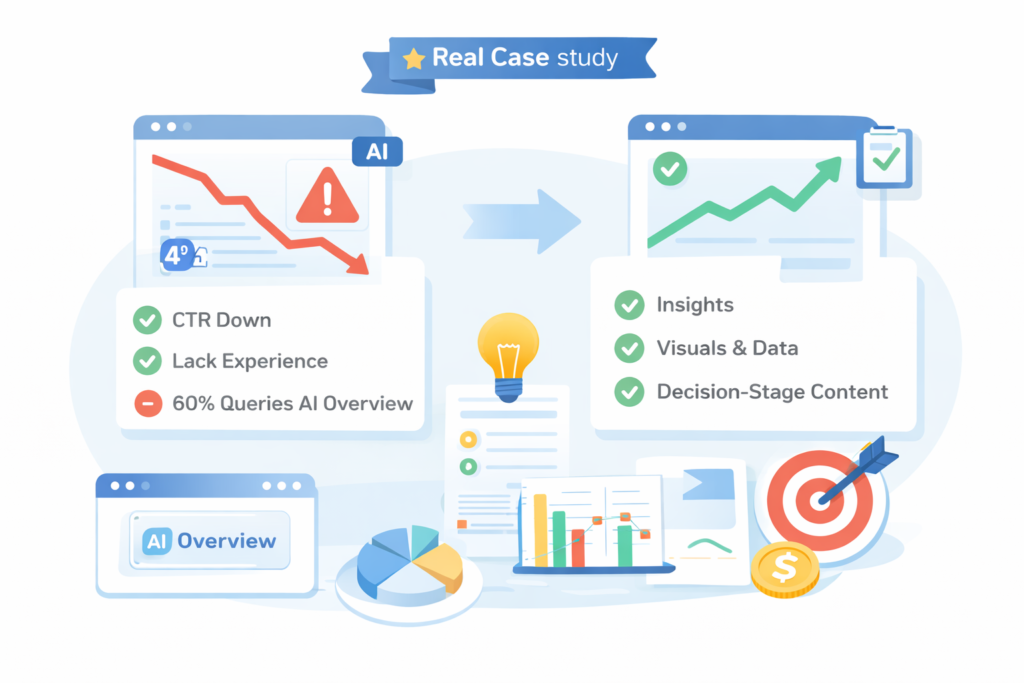
Result: Traffic stabilized, and conversions increased despite lower overall sessions.
The Biggest Misconception About Traffic Drops
The biggest mistake I see is assuming:
“Google updated, so my site was hit.”
In reality, traffic drops are usually caused by misinterpreting data, ignoring intent changes, over-reliance on generic content or technical debt accumulating quietly.
Therefore, the goal isn’t to “recover traffic” blindly—but to understand whether that traffic is still worth chasing.
Final Thoughts: Diagnose Before You Fix
A sudden traffic drop is not a failure—it’s feedback. When diagnosed properly, it reveals:
- What Google values now
- Where your site is weak
- Which traffic was never valuable to begin with
Moreover, the best SEO work today isn’t about chasing rankings—it’s about building relevance, trust, and differentiation in a rapidly changing SERP.
If your traffic dropped, slow down, analyze deeply, and fix the right problem—not the loudest one.

Leave a Reply