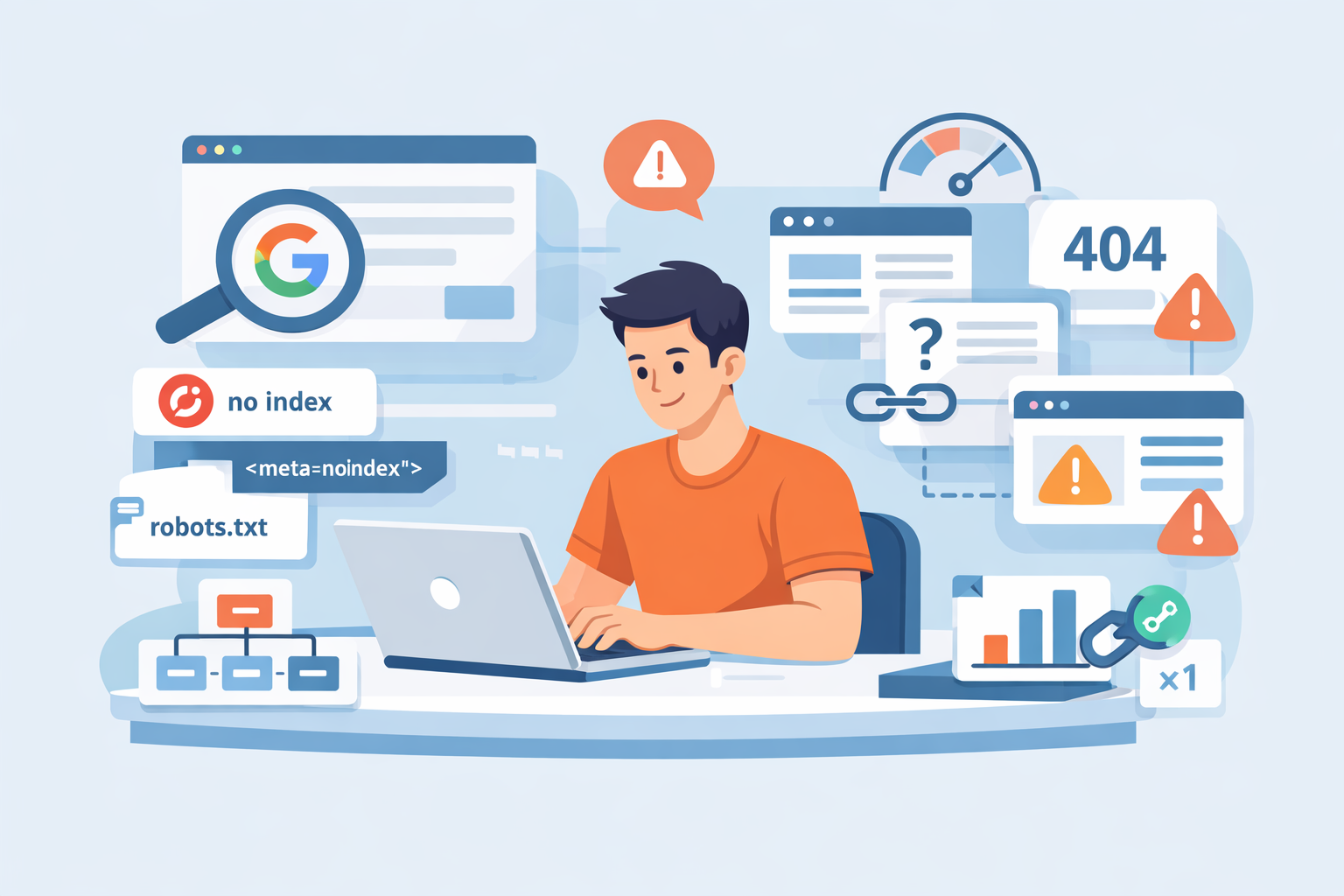
I have been doing SEO for over 10 years and have seen this problem hundreds of times.
New pages published. Weeks pass. Nothing shows up in Google.
Therefore, let’s break this down properly. No fluff. No theory-only advice. Just what actually stops Google from indexing new pages, and then how to fix it.
What Does “Not Indexed by Google” Actually Mean?
Many people confuse ranking with indexing. They are not the same.
Indexing means Google knows the page exists while as Ranking means Google decides where to show it.
If a page is not indexed, then, it will never rank. Therefore, indexing always comes first.
You can confirm this by using:
site:yourdomain.com/page-url- Google Search Console → Pages report
If the page is missing there, then, Google has not indexed it yet.
How Long Should Google Take to Index New Pages?
There is no fixed timeline. However, there are patterns.
For healthy websites:
- New pages index in hours or days
For newer or weaker websites:
- It can take weeks
For problematic websites:
- Pages may never index at all
Therefore, slow indexing is usually a signal, not a random delay.
Is Google Actually Crawling My New Pages?
Before blaming indexing, check crawling.
If Google never crawls a page, then, it cannot index it.
Simple logic.
Check:
- Google Search Console → Crawl stats
- Server logs (advanced but accurate)
If crawl activity is low, that is your first red flag.
Moreover, low crawling usually means Google does not trust or prioritize the site yet.
Could My Pages Be Blocked by robots.txt?
This is one of the most common mistakes. Experienced developers also mess this up.
If robots.txt blocks a page, Google will not crawl it. Therefore, indexing will never happen.
Real case study:
In 2022, I worked with a SaaS startup. They migrated their site.
Their developer blocked /blog/ by mistake. Over 300 articles dropped from the index.
Fix:
- Open
yourdomain.com/robots.txt - Look for
Disallow - Test URLs inside Search Console
Also, remember: Robots.txt blocks crawling, not indexing removal.
However, if Google cannot crawl, indexing stalls.
Are My Pages Marked as “Noindex” Without Me Knowing?
This happens more than you think.
A single meta tag can kill indexing:
<meta name="robots" content="noindex">
I once audited an ecommerce site. Their staging tag was pushed live. Over 2,000 category pages stopped indexing.
Therefore, always check: page source, HTTP headers and CMS SEO settings.
Moreover, some plugins apply noindex rules automatically.
Especially on tag pages and filtered URLs.
Is My Website Too New for Google to Trust?
Yes. This is real because Google does not trust new domains easily.
New sites have:
- Low crawl budget
- Low authority
- No historical signals
Therefore, Google crawls slower and indexes selectively.
Case study
A fresh content site published 50 articles in month one. Only 7 indexed.
After 3 months of internal linking and backlinks, indexing jumped to 45 page
So, patience matters.
However, structure matters more.
Do My Pages Have Thin or Low-Quality Content?
Google will crawl thin pages but it may refuse to index them.
If Google thinks a page adds no value, then, it stays in: “Crawled – currently not indexed”
This is extremely common.
Signals that cause this:
- Very short content
- Duplicate wording
- AI-spun text
- Boilerplate pages
Therefore, ask yourself:
But would this page deserve to exist if Google didn’t?
Moreover, similar pages kill each other.
Ten weak pages are worse than one strong page.
Am I Creating Duplicate Pages Without Realizing It?
Duplicate content is silent poison. Common causes:
- URL parameters
- HTTP vs HTTPS
- www vs non-www
- Pagination issues
Case study
I audited a real estate website in 2023. They had 6 URLs for the same listing. Google crawled them all but indexed none.
Fixes included:
- Canonical tags
- URL cleanup
- Internal linking to the main version
Therefore, always check canonical URLs.
Is My Internal Linking Weak or Broken?
Internal links are how Google discovers pages.
So, if a page has no internal links:
- Google treats it as unimportant
- Crawling becomes rare
I call these “orphan pages.”
Case study
An ecommerce brand launched 120 landing pages for cities. None indexed. Why? No internal links.
Only accessible via sitemap.
After adding contextual links from blogs as well as categories, 90 pages indexed within 3 weeks.
Therefore, internal linking is not optional. It is a ranking signal and also, a discovery signal.
Does My XML Sitemap Actually Help With Indexing?
Sitemaps help but they do not guarantee indexing.
If your sitemap includes noindex pages, redirected URLs or canonical conflicts, then, Google will ignore large parts of it.
Moreover, Google treats sitemaps as hints, not commands.
Best practice:
- Only include indexable URLs
- Update lastmod dates honestly
- Keep it clean
Also, always submit it in Search Console.
Could Server Errors Be Stopping Google From Indexing?
Yes.
And this is often invisible.
If Googlebot hits:
- 5xx errors
- Timeouts
- Slow TTFB
It reduces crawl rate.
I worked with a news site during traffic spikes. Server errors jumped. Google slowed crawling by 70%.
Therefore, check PageSpeed Insights, server logs and hosting quality.
Bad hosting equals bad indexing. No exceptions.
Is My Website Structure Confusing Google?
Google loves clarity.
If your site has deep URLs, endless filters and also, poor navigation, indexing slows down.
Good structure means:
- Logical categories
- Shallow depth
- Clear hierarchy
Moreover, flat architecture helps new pages get discovered faster.
Think like Google.
Not like a designer.
Does Google Think My Pages Are “Crawled – Currently Not Indexed”?
This Search Console status scares people.
But it is very common.
It means:
Reasons include quality concerns, duplication and also, low authority.
Case study
A blog had 200 pages stuck in this state. We merged thin articles , improved internal links and also added author credibility.
Result:
120 pages indexed within 45 days.
Therefore, quality always wins over quantity.
Can Backlinks Help With Indexing New Pages?
Absolutely because backlinks are discovery signals.
A single link from a crawled page can trigger crawling and also, speed up indexing. I have tested this many times.
One experiment:
- Publish page
- Wait 10 days
- No index
- Add one contextual backlink
- Indexed in 48 hours
Therefore, backlinks still matter.
Even for indexing.
Should I Manually Request Indexing in Google Search Console?
Yes but don’t rely on it.
Manual indexing speeds things up sometimes but it does not fix root issues.
If Google refuses indexing repeatedly, then, something is wrong.
Use it as a nudge.
Not a solution.
Are JavaScript or Rendering Issues Blocking Google?
Modern Google handles JavaScript.
However, not perfectly.
If your content loads:
- After user interaction
- Through blocked JS files
Google may miss it.
Check:
- URL Inspection → View crawled page
- Rendered HTML
I fixed a React site where content loaded after scroll.
Google saw a blank page.
Indexing failed completely.
Therefore, render critical content server-side when possible.
Is My Website Sending Mixed SEO Signals?
This is underestimated.
If your page has canonical pointing elsewhere, noindex tag or internal links pointing to another URL, Google gets confused.
Confusion slows indexing. Therefore, alignment matters:
- Canonical
- Internal links
- Sitemap
- Status code
All must agree.
What Is the Fastest Way to Fix Indexing Problems?
Here is my real-world checklist:
- Check robots.txt
- Remove noindex tags
- Fix canonicals
- Improve internal links
- Strengthen content
- Clean the sitemap
- Improve server speed
- Build one good backlink
- Request indexing
Do this in order.
Not randomly.
When Should I Worry About Pages Not Being Indexed?
Worry if pages:
- are older than 30 days
- are internally linked
- have quality content
- still don’t index
That is not normal.
At that point, Google is rejecting them, not delaying them.
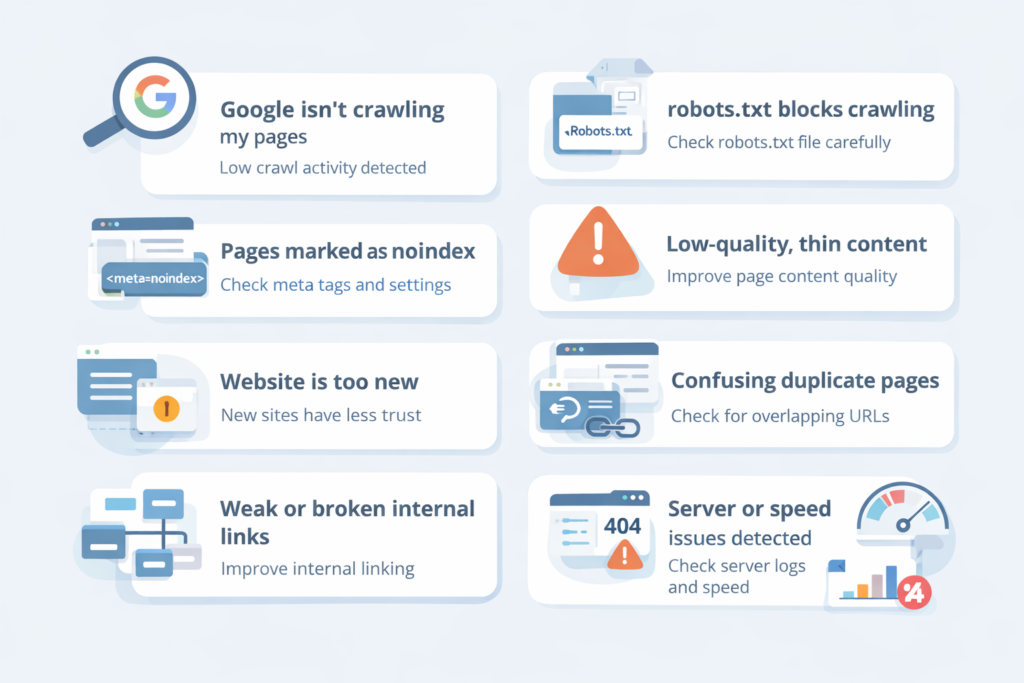
Final Thoughts: Why Are My New Website Pages Not Being Indexed by Google?
This problem is rarely “Google being slow.”
It is usually trust, quality, structure and also, signals.
After 10 years in SEO, I can say this clearly:
Google indexes pages it believes deserve attention.
Therefore, stop chasing hacks and fix fundamentals.
Do that, and indexing becomes boring again.
Which is exactly how it should be.

Leave a Reply