
Google Search Control errors can quietly kill your visibility.
Traffic drops, leads slow down and rankings also vanish without warning.
Therefore, fixing these errors fast matters more than most businesses realize.
This guide is not theory. It is written from real SEO work.
Moreover, every fix here has been tested on live business websites.
Let’s get into it.
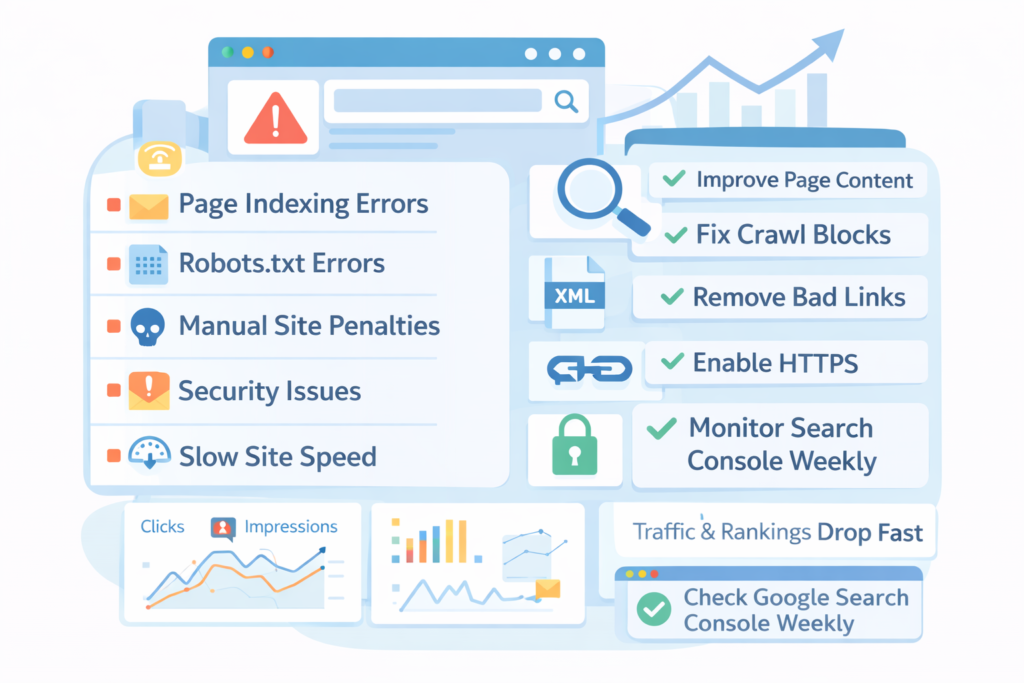
What Are Google Search Control Errors?
Google Search Control errors are issues that prevent Google from properly crawling, indexing, or trusting your website.
Therefore, even good content may never rank.
These errors usually appear inside Google Search Console.
Moreover, they often relate to indexing, crawling, security, or manual actions.
Common categories include:
- Page indexing errors
- Crawl errors
- Manual penalties
- Security issues
- Structured data problems
If ignored, then, these errors limit how much control you actually have over Google Search.
Why Should Businesses Take Search Control Errors Seriously?
Because Google does not wait. Therefore, unresolved errors slowly push your site out of results.
In one client case, a local service business lost 62% organic traffic in 45 days. Moreover, the issue was not content. It was blocked pages due to a misconfigured robots.txt file. Fixing the error restored traffic within three weeks.
Errors equal lost revenue. Therefore, they must be handled first.
Where Do I Find Google Search Control Errors?
You find them inside Google Search Console.
Therefore, if you are not checking it weekly, you are already late.
Focus on these reports:
- Pages (Indexing)
- Manual actions
- Security issues
- Enhancements
- Crawl stats
Moreover, do not rely on email alerts alone because many critical errors never trigger emails.
How Do Page Indexing Errors Affect My Business Rankings?
Page indexing errors decide whether your pages exist on Google at all.
Therefore, rankings are impossible without indexing.
Common indexing errors include:
- Crawled – currently not indexed
- Discovered – currently not indexed
- Duplicate without user-selected canonical
- Blocked by robots.txt
Case study:
An ecommerce site had 3,200 pages marked as “Crawled – currently not indexed.”
Moreover, most pages were thin category pages.
The fix:
- Added internal links
- Improved content depth
- Reduced duplicate filters
Therefore, 1,900 pages were indexed within 30 days.
How Do I Fix “Crawled – Currently Not Indexed” Errors?
This error means Google saw the page but did not find enough value.
Therefore, content quality is usually the issue.
Fix it by:
- Adding original text (300–600 words minimum)
- Improving internal linking
- Removing near-duplicate pages
- Strengthening E-E-A-T signals
Moreover, avoid forcing index requests repeatedly. That rarely works.
What Does “Discovered – Currently Not Indexed” Mean?
This means Google knows the page exists but has not crawled it yet.
Therefore, crawl budget or trust may be limited.
Fixes that work:
- Improve site speed
- Fix server response times
- Strengthen internal linking
- Remove low-value URLs
Moreover, large sites suffer the most from this issue.
How Can Robots.txt Errors Kill My Search Visibility?
Robots.txt errors block Google completely.
Therefore, one wrong line can destroy rankings overnight.
Real case:
A SaaS website blocked /blog/ accidentally during a staging deployment.
Moreover, traffic dropped 48% in two weeks.
Fix:
- Removed the disallow rule
- Requested re-crawling
- Submitted updated sitemap
Therefore, rankings recovered in about 25 days.
Also, always double-check robots.txt after updates.
How Do Canonical Errors Reduce My Search Control?
Canonical errors confuse Google about which page to rank.
Therefore, authority gets split.
Common mistakes:
- Self-referencing canonicals missing
- Canonical pointing to non-indexable URLs
- Mixed HTTP and HTTPS canonicals
Fix by using one clean canonical per page, matching canonicals with sitemap URLs and also, avoiding parameter-based canonicals.
Moreover, canonicals should reflect real user pages.
What Are Manual Actions and How Do I Recover From Them?
Manual actions are penalties applied by humans at Google. Therefore, they are serious.
Common manual actions:
- Unnatural backlinks
- Thin affiliate content
- Spammy structured data
Case study:
A lead generation site bought backlinks aggressively.
Moreover, an “Unnatural links” penalty followed.
Recovery steps:
- Audited all backlinks
- Removed bad links manually
- Disavowed remaining toxic links
- Submitted reconsideration request
Therefore, penalty lifted in 41 days.
How Do Security Issues Impact Google Search Control?
Since security issues destroy trust instantly. Therefore, Google removes infected pages fast.
Common issues include malware, injected spam pages and also, phishing content.
Fix process:
- Clean infected files
- Update CMS and plugins
- Enable HTTPS
- Request a security review
Moreover, delays here increase long-term damage.
How Important Is HTTPS for Search Control Errors?
HTTPS is not optional anymore, therefore, mixed content errors hurt indexing.
Fix HTTPS issues by:
- Redirecting HTTP to HTTPS
- Updating internal links
- Fixing insecure scripts
- Updating canonical URLs
Moreover, HTTPS errors often block structured data validation.
How Do Structured Data Errors Affect Search Visibility?
Structured data errors reduce rich result eligibility.
Therefore, CTR drops even if rankings stay stable.
Common errors:
- Missing required fields
- Invalid schema types
- Mismatched page content
Fix by:
- Matching schema to visible content
- Testing with Rich Results Test
- Keeping schema simple
Moreover, avoid auto-generated schema plugins without review.
How Does Site Speed Influence Search Control?
Slow sites waste crawl budget. Therefore, fewer pages get indexed.
Case study:
A content site improved LCP from 4.8s to 2.1s.
Moreover, indexed pages increased by 27%.
Fixed speed by compressing images, reducing JavaScript, using caching and also, improving hosting.
Therefore, speed directly affects control.
How Do Core Web Vitals Errors Affect Rankings?
Core Web Vitals signal user experience.
Therefore, poor scores reduce trust.
Focus on LCP, INP as well as CLS.
Moreover, fixing mobile issues usually improves desktop too.
Should I Delete Pages to Fix Search Control Errors?
Sometimes, yes. Therefore, quality beats quantity.
Delete noindex pages that get zero traffic, have no backlinks or duplicate other pages.
Moreover, pruning helps crawl efficiency.
How Often Should I Monitor Google Search Control Errors?
Weekly.
Therefore, issues get caught early.
Set a routine:
- Check indexing report
- Review manual actions
- Scan security alerts
- Validate enhancements
Moreover, monthly audits are not enough anymore.
How Long Does It Take to Fix Google Search Control Errors?
It depends on the error type, hence, timelines vary.
Typical recovery times:
- Indexing issues: 2–6 weeks
- Manual actions: 3–8 weeks
- Security issues: 1–3 weeks
Moreover, faster fixes reduce long-term damage.
What Are the Most Common Mistakes Businesses Make?
The biggest mistake is ignoring Search Console, therefore, problems compound silently.
Other mistakes:
- Blindly requesting indexing
- Overusing disavow
- Ignoring internal links
- Publishing thin content
Moreover, shortcuts always backfire.
Can Google Search Control Errors Be Prevented?
Yes, mostly.
Therefore, prevention is cheaper than recovery.
Best practices include clean site architecture, regular audits, controlled publishing as well as technical SEO checks.
Moreover, documentation helps teams avoid mistakes.
What Is the Final Checklist to Fix Google Search Control Errors?
Use this simple checklist:
- Fix indexing errors
- Clean robots.txt
- Validate canonicals
- Resolve security issues
- Improve content quality
- Optimize speed
- Monitor weekly
Therefore, control returns gradually.
Final Thoughts: Is Search Control an Ongoing Process?
Absolutely.
Therefore, SEO never truly ends.
Google changes constantly.
Moreover, errors evolve with every update.
Businesses that win treat Search Console as a dashboard, not a warning system.
Therefore, proactive control always beats reactive fixes.
If your traffic feels unstable, start here.
Fix the errors.
Then scale.

Leave a Reply