Redesigning a website is exciting. New layouts. Better UX. Faster pages. However, it is also one of the fastest ways to kill years of SEO work if done wrong.
I’ve seen sites lose 40–70% of organic traffic overnight. Not because the new design was bad. But because SEO was treated as an afterthought.
Therefore, this guide is not generic. It’s based on what actually breaks rankings during redesigns—and what protects them. Also, every section answers a real question I hear from founders, marketers, and developers.
Let’s get into it.
Why does a website redesign usually cause traffic drops?
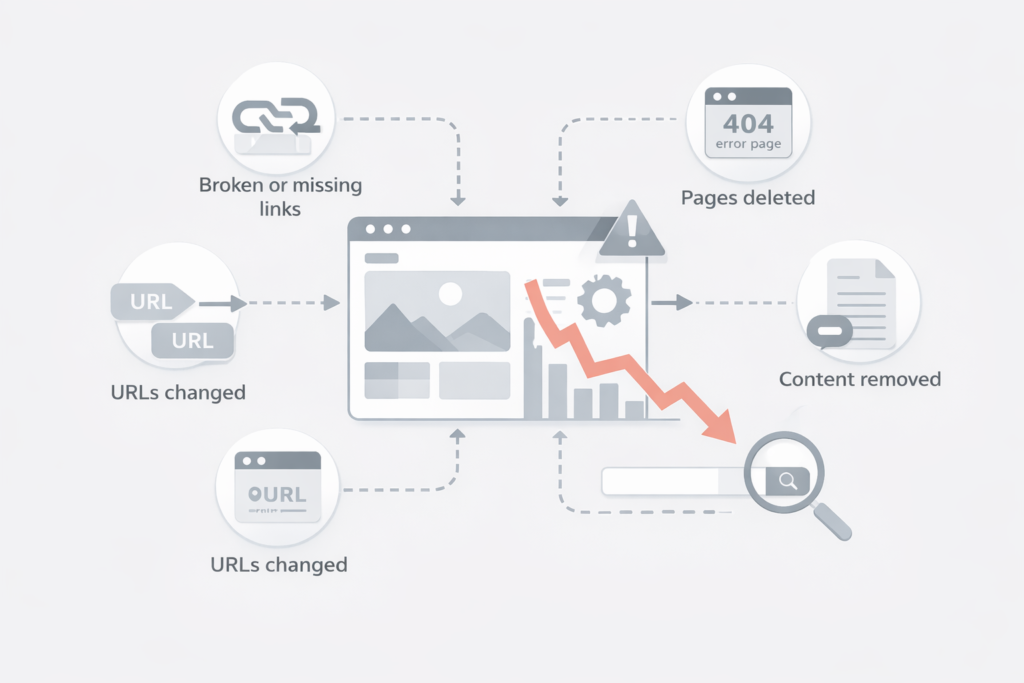
A redesign changes more than visuals. It changes URLs, content structure, internal links, and page speed. Moreover, it often changes intent alignment without anyone noticing.
Google doesn’t rank designs. It ranks URLs, content relevance, and signals built over time.
Therefore, when you change those signals without safeguards, rankings fall.
Common causes include:
- URLs getting deleted or renamed
- Missing redirects
- Content trimmed “for design reasons”
- Internal links removed
- JavaScript-heavy layouts blocking crawlers
Also, many redesigns push everything live at once. That makes diagnosing issues harder.
Should SEO be involved before or after the redesign starts?
Before. Always before. SEO should influence the redesign, not react to it. Otherwise, you’re fixing damage instead of preventing it.
Moreover, SEO decisions affect:
- Site architecture
- Navigation depth
- Content templates
- Mobile behavior
- Page speed budgets
In one SaaS redesign I consulted on, SEO was looped in late. As a result, category pages were merged “for simplicity.” Traffic dropped 52% in six weeks.
Therefore, SEO must be part of the planning phase. Not the QA phase.
How do you benchmark SEO performance before a redesign?
You can’t protect what you don’t measure.
Before touching design files, capture benchmarks.
At minimum, document:
- Top landing pages by organic traffic
- Top keywords per page
- Current URL structure
- Internal linking patterns
- Conversion pages ranking organically
Also, export Google Search Console data. Especially clicks, impressions, and average position.
Moreover, crawl the existing site. Use Screaming Frog or a similar tool.
Why this matters:
If traffic drops later, you’ll know what dropped. Therefore, recovery becomes targeted instead of blind.
Which pages should never be removed during a redesign?
Pages with SEO equity should be treated as assets.
That includes pages:
- with backlinks
- ranking in top 10
- driving conversions
- with long-tail content
I worked with an ecommerce brand that removed 300 “low-traffic” blog posts. They looked useless in GA.
However, those posts collectively drove thousands of long-tail visits. Moreover, they supported category pages through internal links.
Traffic dropped 38%. Recovery took nine months.
Therefore, never judge a page by surface metrics alone.
How important is URL structure during a website redesign?
Extremely important.
URLs are one of the strongest ranking identifiers. Change them casually, and Google treats them as new pages.
Best practice:
Keep URLs exactly the same where possible.
If change is unavoidable:
- Use 301 redirects
- Map old URLs to the closest equivalent page
- Avoid redirect chains
Moreover, never redirect everything to the homepage. That’s a common mistake.
In a real estate site redesign, over 1,200 URLs were redirected to the homepage. Google deindexed most of them within weeks.
Therefore, precision matters more than convenience.
How should redirects be handled to protect SEO?
Redirects are not optional. They are the backbone of a safe redesign.
Process that works:
- Export all existing URLs
- Match each to a new destination
- Use one-to-one 301 redirects
- Test before launch
Also, check redirect logic after launch. CMS rules often misfire.
Moreover, avoid temporary (302) redirects unless absolutely necessary.
Case study:
A B2B service site used JavaScript-based redirects.
Google ignored half of them.
Organic traffic fell 44%.
Switching to server-side 301s fixed it in three months.
Can changing content during a redesign hurt rankings?
Yes. And it often does.
Design teams love “cleaner copy.” SEO hates missing intent.
When content is shortened, keywords disappear. Also, semantic relevance drops.
Therefore, content changes must be intentional.
What works:
- Keep existing SEO-performing content intact
- Improve readability without removing depth
- Add supporting sections instead of trimming
Moreover, preserve headings and structure where possible.
In one fintech redesign, feature pages lost comparison tables. Design looked cleaner.
However, rankings dropped for “best” and “vs” keywords. Tables were restored. Rankings returned.
How does internal linking get damaged during redesigns?
Navigation simplification often removes deep links. Also, footer links disappear “for aesthetics.”
Internal links distribute authority. Remove them, and important pages weaken.
Checklist:
- Preserve links to top SEO pages
- Maintain breadcrumb trails
- Avoid orphan pages
Moreover, watch out for JavaScript menus. If not crawlable, links may not count.
I’ve seen redesigns where category pages lost 70% of internal links. Traffic decline followed within weeks.
Therefore, internal linking must be audited before and after launch.
Does page speed really matter during a redesign?
Yes. More than before.
Redesigns often add:
- Heavy animations
- Large images
- Third-party scripts
All of that hurts Core Web Vitals.
Google might not penalize instantly. However, over time, slower pages lose competitiveness.
Best approach:
- Set performance budgets
- Test layouts before development
- Optimize images aggressively
Case study:
A media site redesigned with large hero videos. LCP jumped from 2.1s to 4.8s.
Rankings declined slowly over four months. After optimization, traffic stabilized but never fully recovered.
Therefore, speed should guide design decisions.
How should staging environments be handled for SEO safety?
Staging sites can leak into Google. That’s dangerous.
Always:
- Block staging with authentication
- Or use noindex + robots.txt
Also, remove those blocks before launch. Many teams forget.
Moreover, check canonical tags on staging. They should not point to staging URLs.
I’ve seen staging sites indexed for weeks. Google treated them as duplicates.
Fixing that took months.
What technical SEO checks should be done before launch?
Before launch, verify:
- All redirects work
- Noindex tags removed
- Canonicals correct
- Robots.txt updated
- XML sitemaps regenerated
Also, test mobile usability. Responsive issues can tank rankings.
Moreover, validate structured data if used.
Think of this as a pre-flight checklist. Skipping it invites disaster.
What should be monitored immediately after the redesign goes live?
The first 30 days matter most.
Track daily:
- Organic traffic by page
- GSC coverage issues
- Indexing changes
- Keyword position shifts
Also, watch server logs if possible. See how Googlebot behaves.
Moreover, don’t panic over minor dips. Short-term volatility is normal.
However, sustained drops after two weeks signal real issues.
Can you recover SEO if a redesign goes wrong?
Yes. But recovery is slower than prevention.
Typical recovery timeline:
- Minor issues: 4–8 weeks
- Major URL/content changes: 3–6 months
- Severe mistakes: 6–12 months
Recovery requires:
- Fixing redirects
- Restoring content
- Rebuilding internal links
Therefore, it’s cheaper to protect SEO upfront.
Is it possible to improve SEO during a redesign?
Absolutely.
A redesign is an opportunity if done right.
You can:
- Fix crawl inefficiencies
- Improve content structure
- Enhance internal linking
- Improve Core Web Vitals
One ecommerce redesign I advised on grew traffic 28% post-launch. Why? SEO drove the architecture decisions.
Therefore, redesigns don’t have to be risky. They can be growth moments.
What is the biggest mistake teams make during SEO-safe redesigns?
Treating SEO as a checklist.
SEO is not a plugin. It’s a system.
Design, content, and technical choices are interconnected. Ignore that, and rankings suffer.
Moreover, assumptions kill performance. Always verify with data.
Final thoughts: how do you redesign without destroying SEO?
Respect what already works. Plan before you build. Measure before you change.
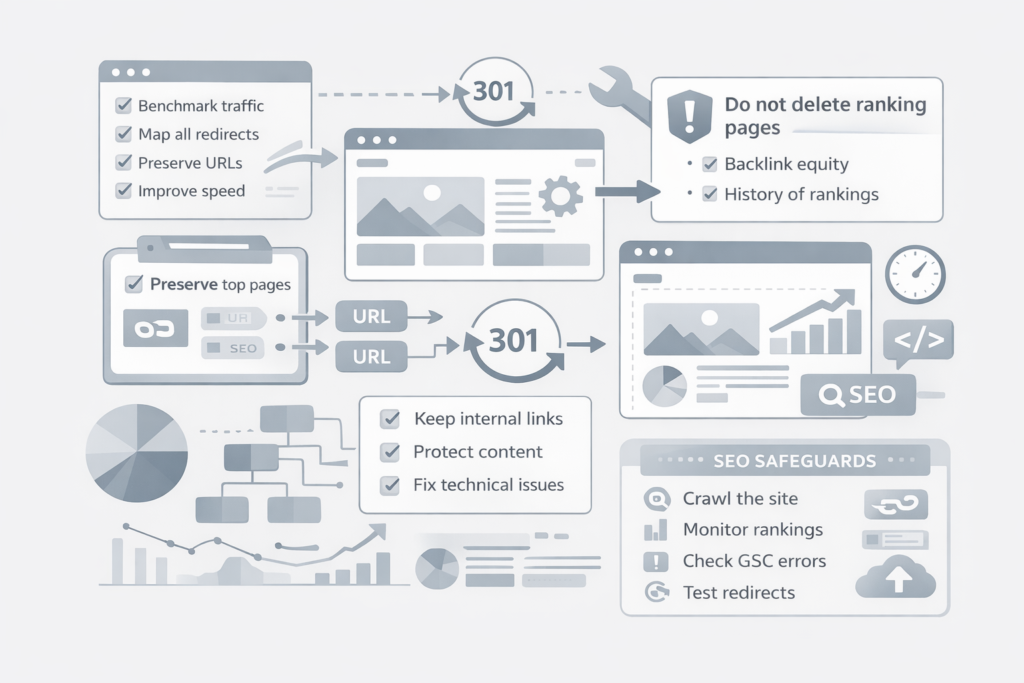
Therefore, redesign with SEO, not around it. Moreover, involve SEO early, test everything, and monitor relentlessly.
A website redesign should feel like progress. Not recovery.
If done right, your rankings won’t just survive. They’ll improve.

Leave a Reply